Skip to content

Modules

The modules are the features of Semplice. Each company rents the ones it needs, even one at a time, and adds the others over time. They all work on the same information assets: products, price lists, rules, customers.

From contact to offer

In the flow: configuration, calculation, offer.

Self-service web configurator

The end customer configures the product on their own, on your website, following the rules of your catalogue. When they ask for the offer, the request arrives with the configuration already done: a qualified contact to start from.

Uses
products and configuration rules
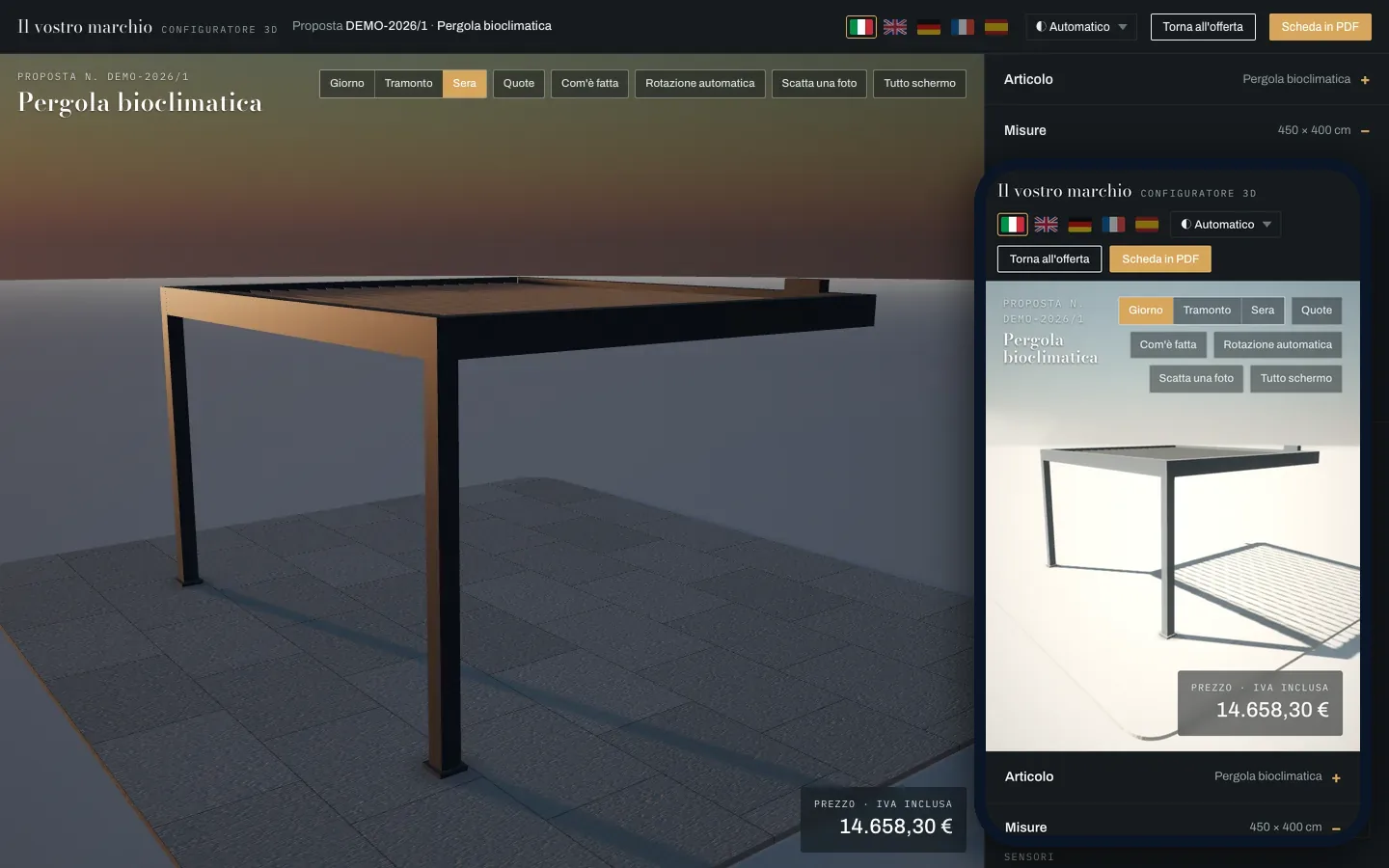
The same sample configurator on a computer and on a phone, in Italian: the pergola in 3D, the sizes and the price.
Content
the end customer’s view, on computer and phone
Source
Semplice, demo with sample data
Note
sample brand and price list

3D configurator

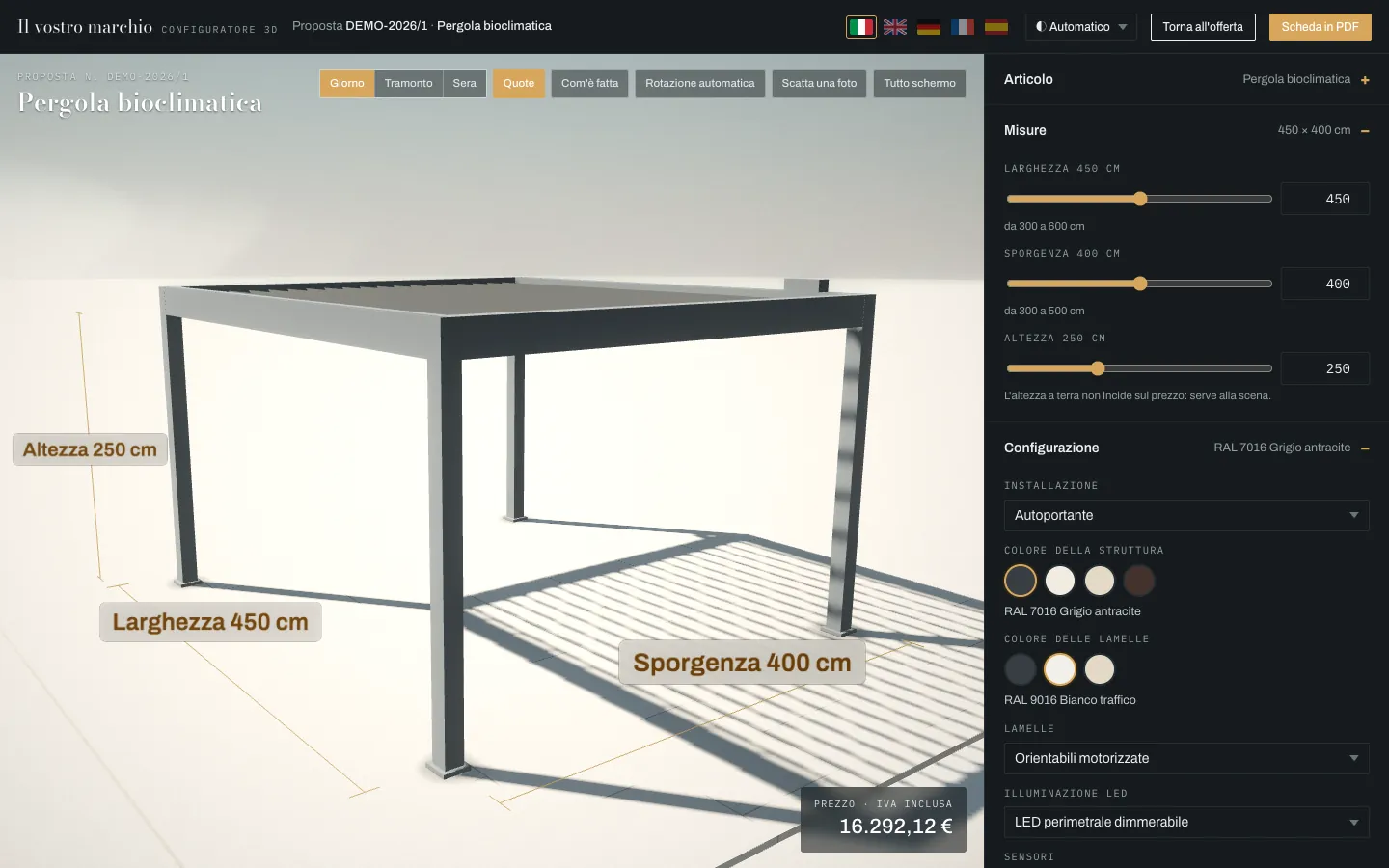
The product is configured and seen in 3D: sizes, colours, louvres, light and time of day, dimensions and “How it is made”. The price is calculated from the price list in real time and follows every variant chosen.

Try the sample configurator

Uses
products, price lists, rules, variants
3D configurator of the pergola with dimensions, in Italian: width 450 cm, projection 400 cm, height 250 cm, and the calculated price.
Content
3D configurator with price and dimensions
Source
Semplice, demo with sample data
Note
sample brand and price list

AI quote and 3D scene offer

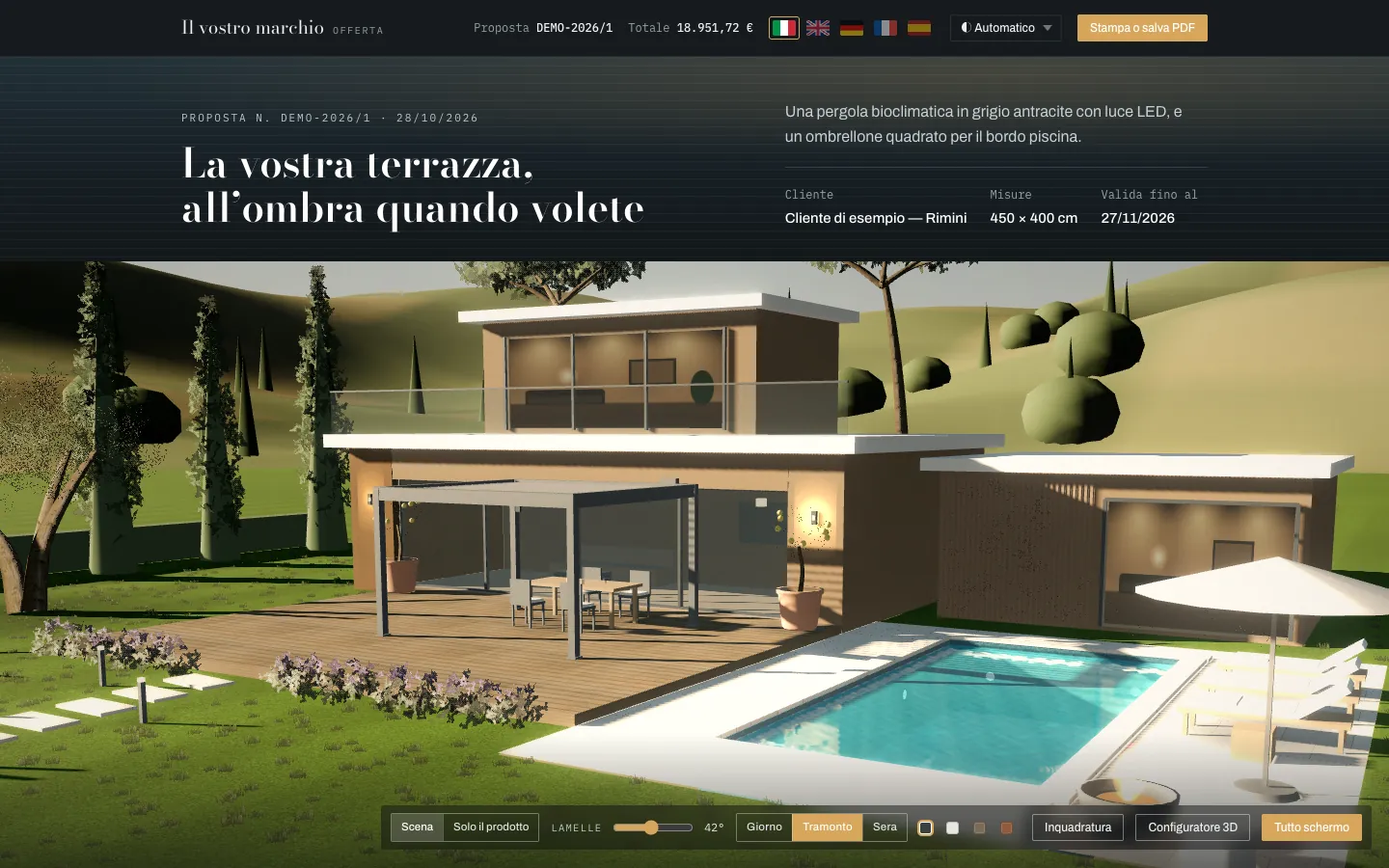
The offer becomes a web page with a staged 3D scene and the complete dossier: project, items, price, terms and acceptance.

The AI drafts the title, the presentation and the suggested optional extras, and the salesperson reviews them. The offer is also available as a PDF and in five languages: Italian, English, German, French and Spanish.

Open the sample offer · everything it contains

Uses
configuration, price list, terms
Opening of the sample offer, in Italian: title, customer, sizes and the 3D scene of the villa with the pergola and the pool.
Content
the offer page, as the customer sees it
Source
Semplice, demo with sample data
Note
sample brand and customer

Offer Radar

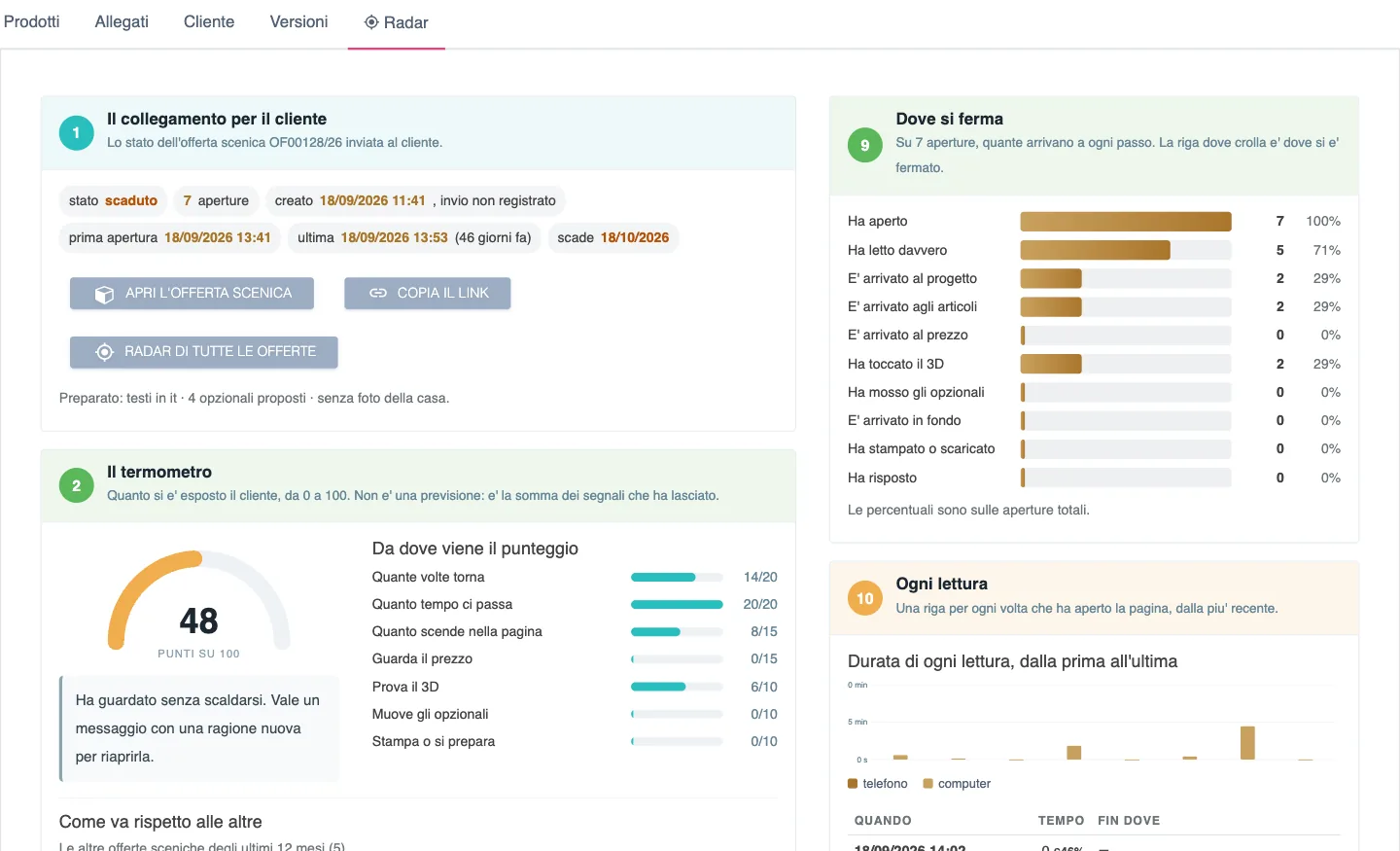
After sending, you know whether the offer has been opened, which sections have been read and how the customer used the 3D scene. An interest gauge tells you when it is time to call back.

Uses
the offers you have sent
Radar of an offer, in Italian: seven opens, how far the reader got, and the interest gauge at 48 out of 100 with the score item by item.
Content
radar of a test offer
Source
Semplice, real screenshot
Note
offer number replaced

CRM and lead management

Contacts, requests and negotiations in one place. Every contact carries with it the configuration and the offer it came from.

Uses
customers, requests, configurations, offers
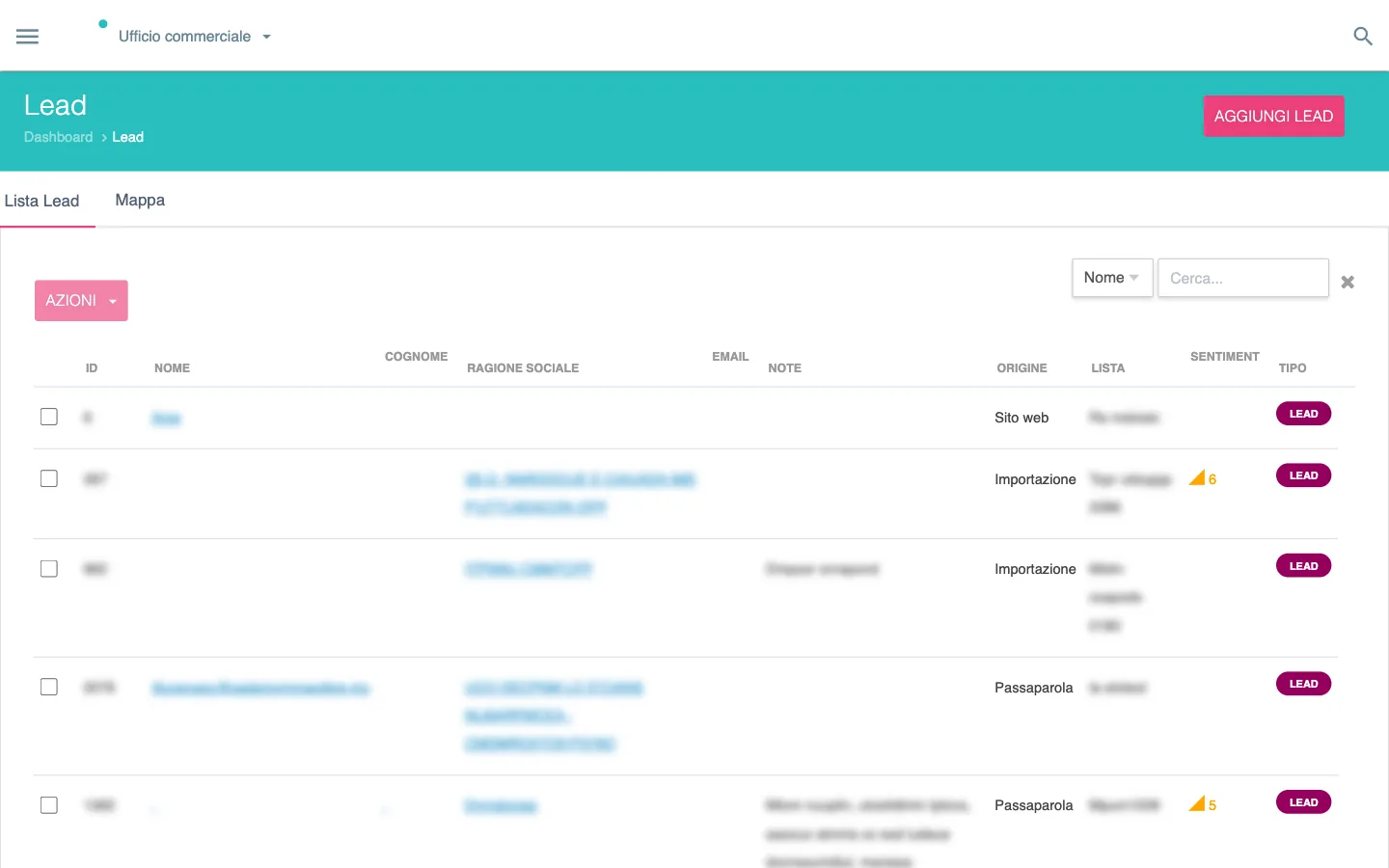
List of contacts, in Italian, with source (website, import, word of mouth, trade fair), sentiment and type; names, emails and notes are blurred.
Content
list of contacts
Source
Semplice, real screenshot
Note
names, emails and notes obscured

Configuration rules

Limits on size, surface and weight, motors chosen according to the torque required, rules between answers. A choice that is not allowed cannot be selected, and the reason is written next to it.

Uses
products and configuration rules

From offer to production

In the flow: order, production.

From quote to order

The accepted quote becomes an order in one click. No data is re-entered: sizes, variants and prices are the ones in the offer.

Uses
the accepted offer
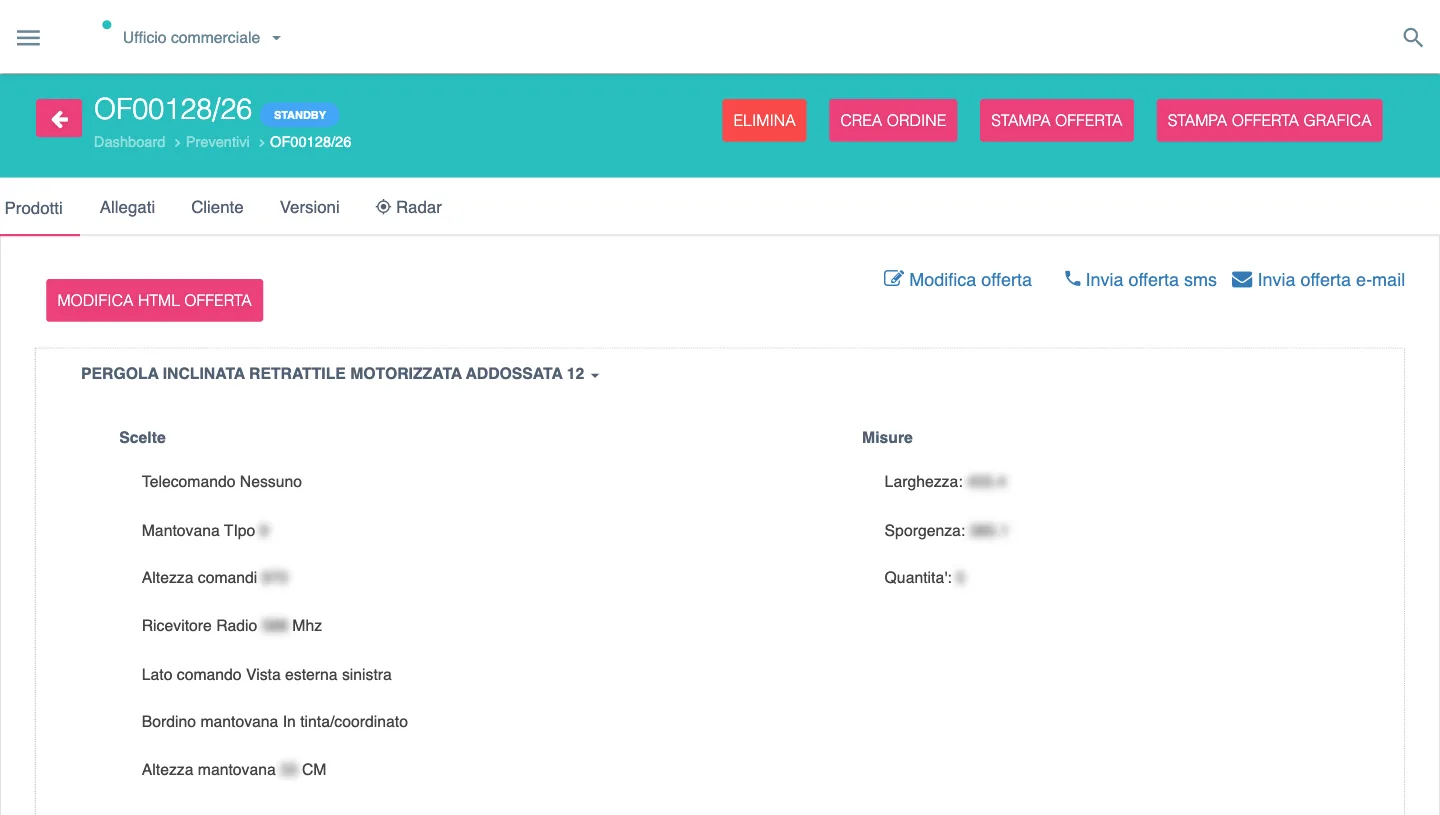
A quote, in Italian, with the Create order button and, opened, the product with the choices and sizes of the configuration.
Content
a quote, with the Create order button
Source
Semplice, real screenshot of a test offer
Note
model code removed, values obscured

Production sheets, Industry 4.0 machines, management system

Production sheets are created from the order. Semplice integrates with Industry 4.0 machines and exports orders to your management system or ERP.

Uses
orders and production rules
Linked to
management system or ERP, via export and APIs
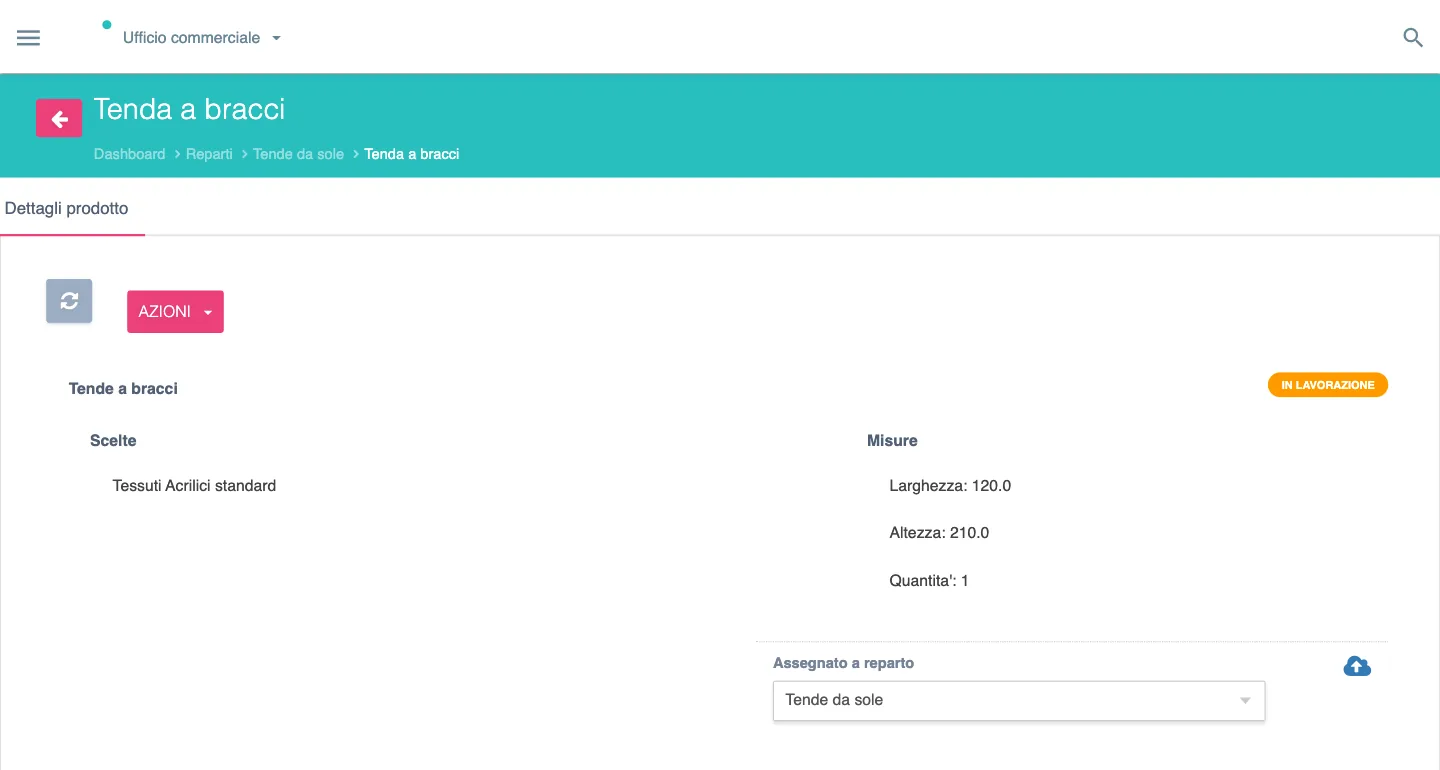
An order item assigned to the awnings department, in Italian: choices, sizes, quantity and the status In progress.
Content
item assigned to a department
Source
Semplice, real screenshot
Note
model name removed

Network and management

The people who sell for you and the people who run the company.

Agent and dealer network

Agents and dealers have their own access and prepare quotes with the dealer’s logo, with the price lists and discounts you decide.

Each dealer opens the portal on their dashboard: quotes, orders, conversion and charts of their last twelve months, in their language.

Uses
products, price lists, sales network
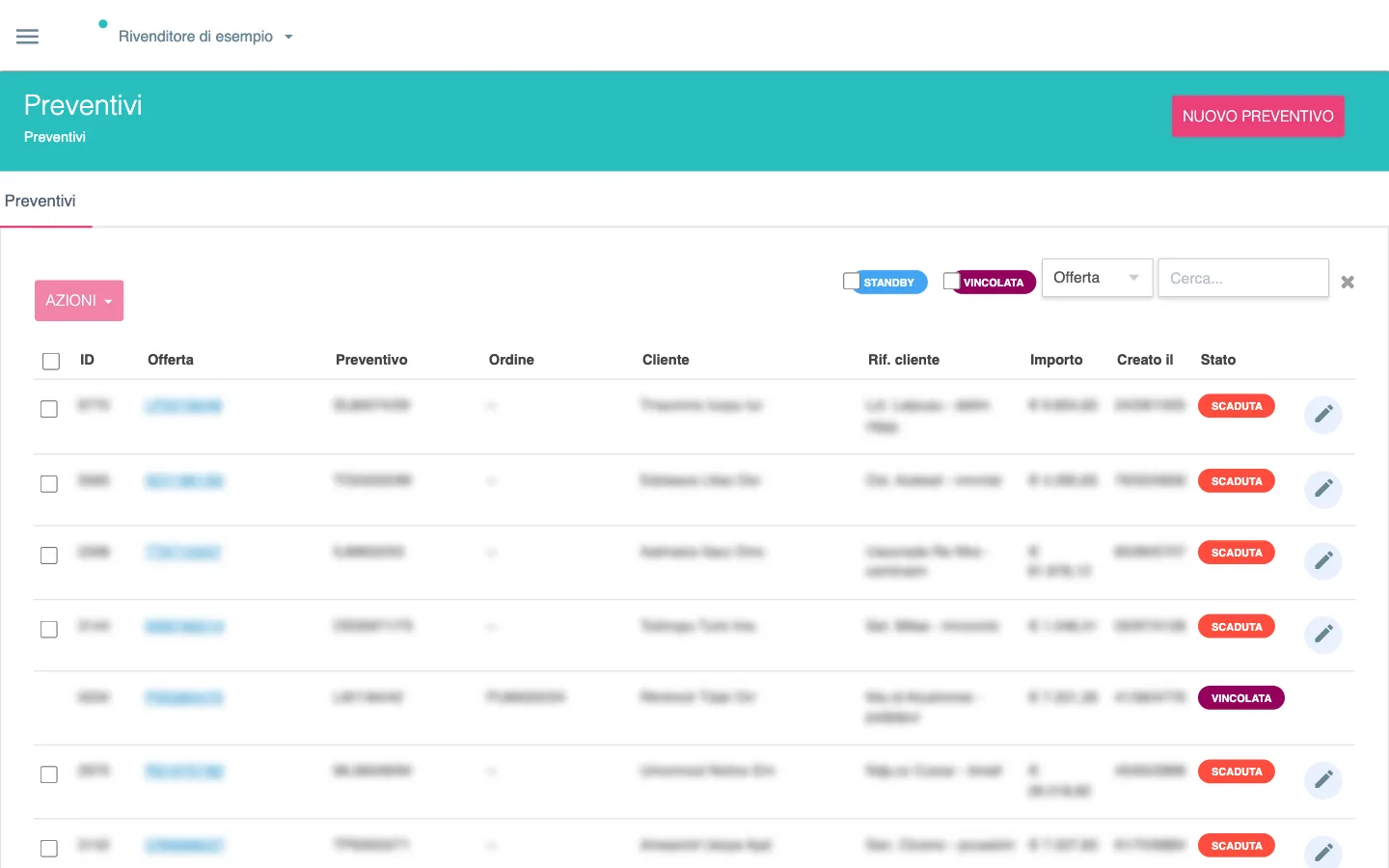
The dealer portal, in Italian: the list of the dealer’s quotes with their status and the New quote button; names and amounts are blurred.
Content
the dealer portal, the dealer’s quotes
Source
Semplice, demo dealer
Note
names and amounts obscured

Management dashboard and network map

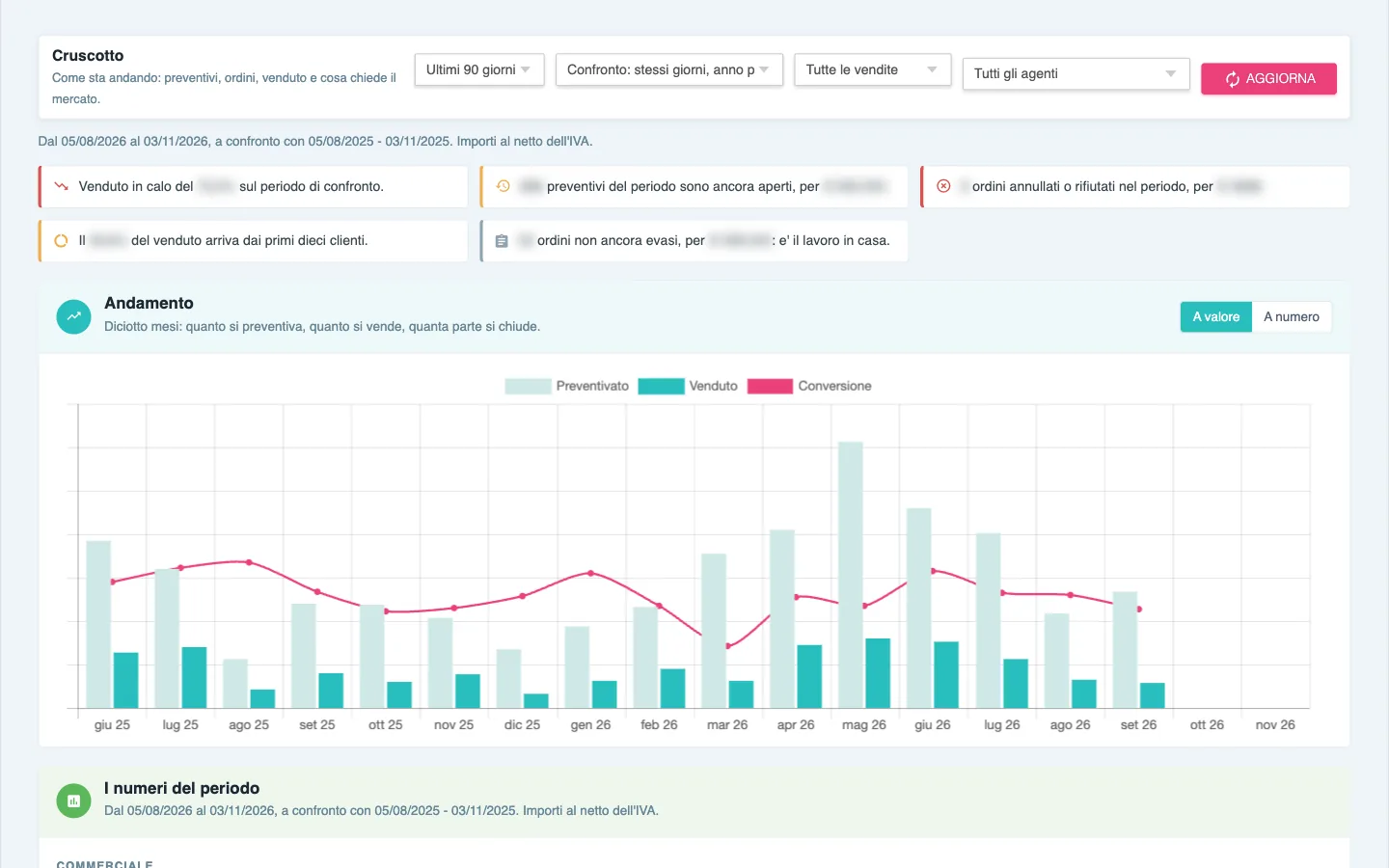
An overview for management: conversions, trends and the health of the dealer network, also on the map.

Uses
quotes, orders, sales network
Dashboard, in Italian: the alerts for the period and eighteen months of quoted, sold and conversion; figures and axis values are removed.
Content
management dashboard
Source
Semplice, real screenshot
Note
figures obscured, axis without values

Support for the people at work

For the people who use Semplice every day.

AI tutors

Specialised assistants that work on your company’s information: price list, sales, technical, support, training and marketing.

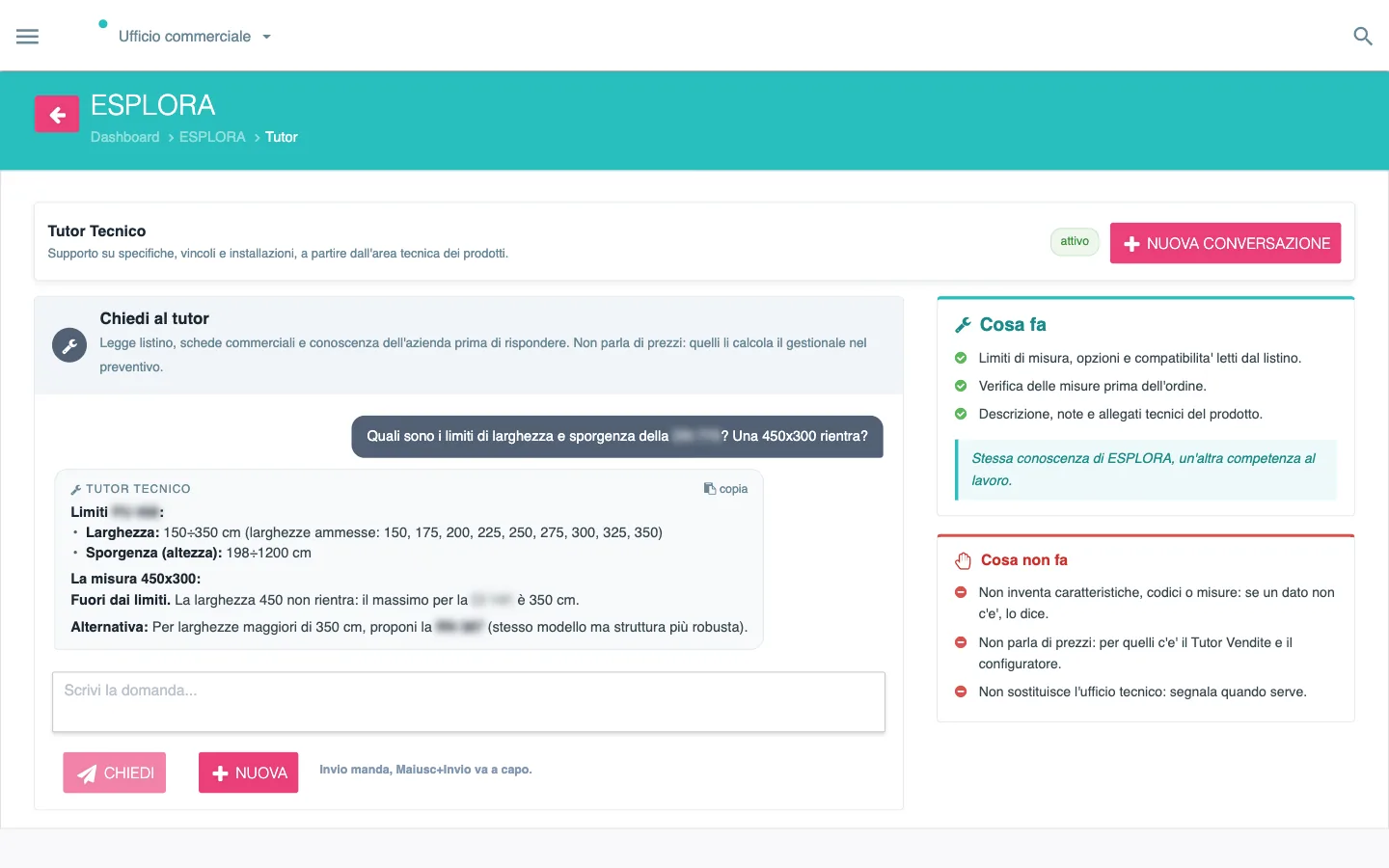
In the configurator, the copilot turns a request written in your own words into a proposal: product, options, checked sizes and price from the price list. The AI features

Uses
the company’s information assets
Technical tutor, in Italian: the question on the width and projection limits of a model and the answer, with the size out of range and the alternative to propose; the model code is blurred.
Content
Technical tutor, question and answer
Source
Semplice, test conversation from the log
Note
model code obscured

Languages and translations

Products, questions and answers, price lists, documents and online offers in Italian, English, German, French and Spanish. Online offers are translated into the customer’s language, and each dealer works in their own language.

Uses
catalogue content and offers

How they are activated

  • RentedEach module is rented, according to the company’s needs.
  • Even one at a timeYou can start with a single module, the one you need now.
  • On the same baseThe others are added over time and find products, price lists and rules already in place.

Each module has its own page on the Italian site: Moduli.

Frequently asked questions

Can modules be activated one at a time?

Yes: you start with the one you need now, rented, and add the others over time. They all work on the same products, price lists and rules.

Which module is best to start with?

Tell us, or we start together from the analysis of your assets. The trial is done on your real products.

Which module to start with?

Tell us, or we start together from the analysis of your assets. The trial is done on your real products.

Ask for a trial