Skip to content

3D offer

The quote becomes a web page: the project in 3D, the items with dimensioned drawings, the price, the terms and the acceptance. The customer opens it on their phone, reads it in their language, tries sizes and colours in the configurator and accepts with one click.

You can open it below: these are the real Semplice pages, with a sample brand, customer and price list.

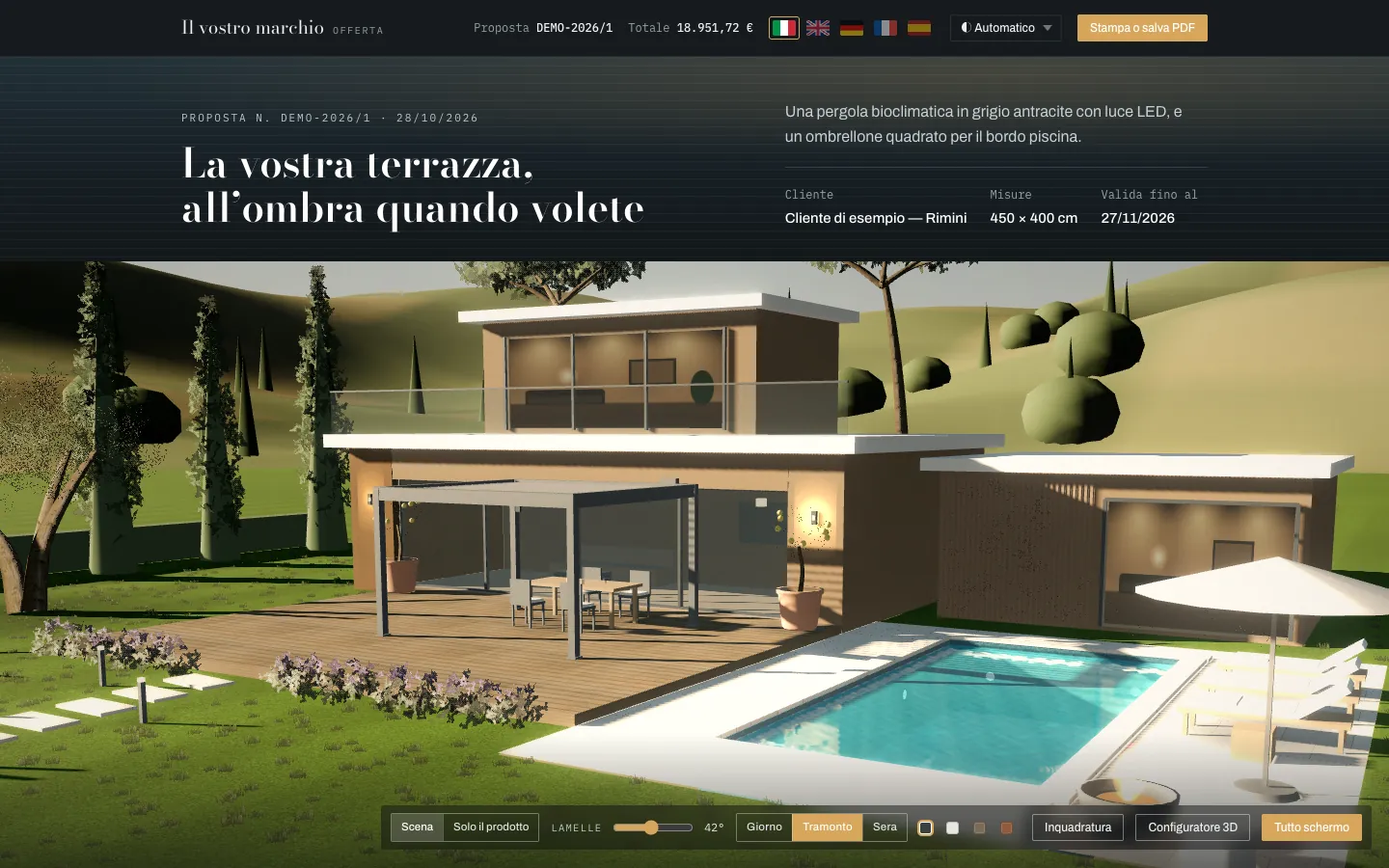
The sample offer with the evening scene, in Italian: the villa with the lit bioclimatic pergola, the parasol, the pool and the scene controls.
Content
3D offer to the customer, evening scene
Source
Semplice, demo with sample data
Languages
Italian, English, German, French, Spanish

Try it as the customer sees it

It works like a real offer: you turn the 3D, change sizes and colours, and the price is recalculated. In the demo nothing is saved and nothing is sent.

Opening of the sample offer, in Italian: title, customer, sizes and the 3D scene of the villa with the pergola and the pool.

The offer

A 450 × 400 cm bioclimatic pergola and a 3 × 3 m parasol for a terrace with a pool. 3D scene, dimensioned drawings, optional extras to tick, acceptance with signature.

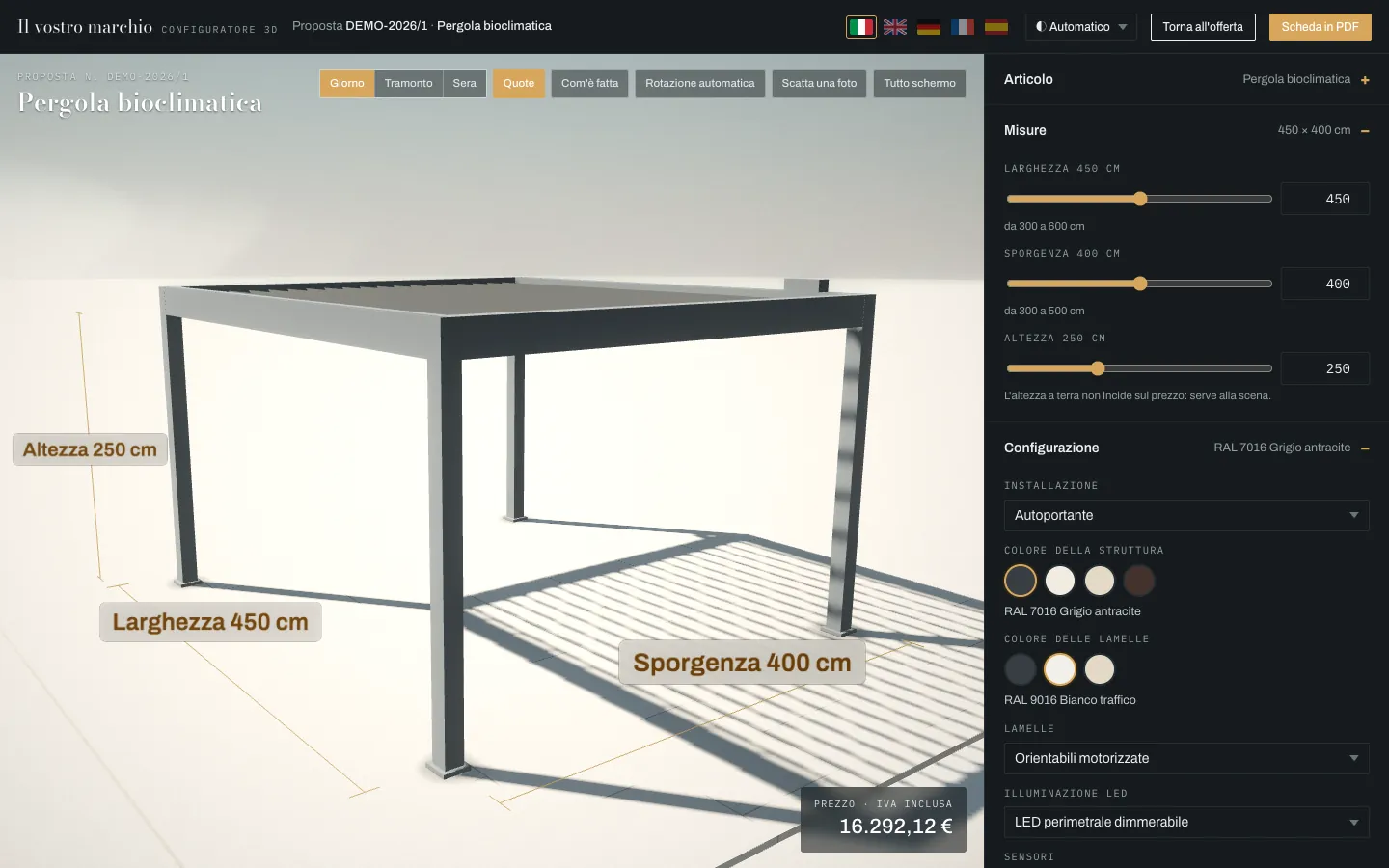
3D configurator of the pergola with dimensions, in Italian: width 450 cm, projection 400 cm, height 250 cm, and the calculated price.

The pergola configurator

Sizes, colour of the frame and the louvres, LEDs and sensors: at every choice the price is recalculated from the sample price list. With dimensions, the presentation and the variants.
What the customer finds in the offer

A single page that opens from a link: no attachments, no programs to install.

  • The project in 3DThe product in the scene of a house: day, sunset and evening, louvres that follow the sun, the product on its own, full screen.
  • Texts drafted by AIThe AI drafts the title and the presentation of the project from the configuration: the salesperson reviews them before sending.
  • Suggested optional extrasThe accessories that suit that configuration, proposed by the AI: the customer ticks them and the total is updated.
  • Dimensioned drawingsFor each item, elevations, plan and axonometric view with the real sizes, drawn from the configuration.
  • Acceptance with signatureThe customer accepts with their first and last name, the company is notified at once and the confirmation is issued as a PDF. Or the customer asks for a change.
  • The RadarAfter sending, you know who opened it and how many times, how far they read, which colours they tried in 3D and which optional extras they ticked.
The items of the sample offer, in Italian: the bioclimatic pergola with front elevation, side elevation, plan and axonometric view, dimensioned in centimetres.
Content
dimensioned drawings of an item
Source
Semplice, demo with sample data
Dimensions
in centimetres, from the configuration

The 3D configurator

From the offer the customer moves to the configurator: the same product, on its own, with all the choices in your catalogue.
  • Sizes and catalogue choicesWidth, projection and height within the product’s limits; the same questions as the configurator in the management software, with RAL colours and fabrics shown as samples.
  • Price from your price listAt every choice the price is recalculated with the pricing engine of the management software and with the configuration rules: it is not an estimate.
  • Light and time of dayDay, sunset and evening; the louvres follow the sun; LED lights, closures and glass panels in the scene.
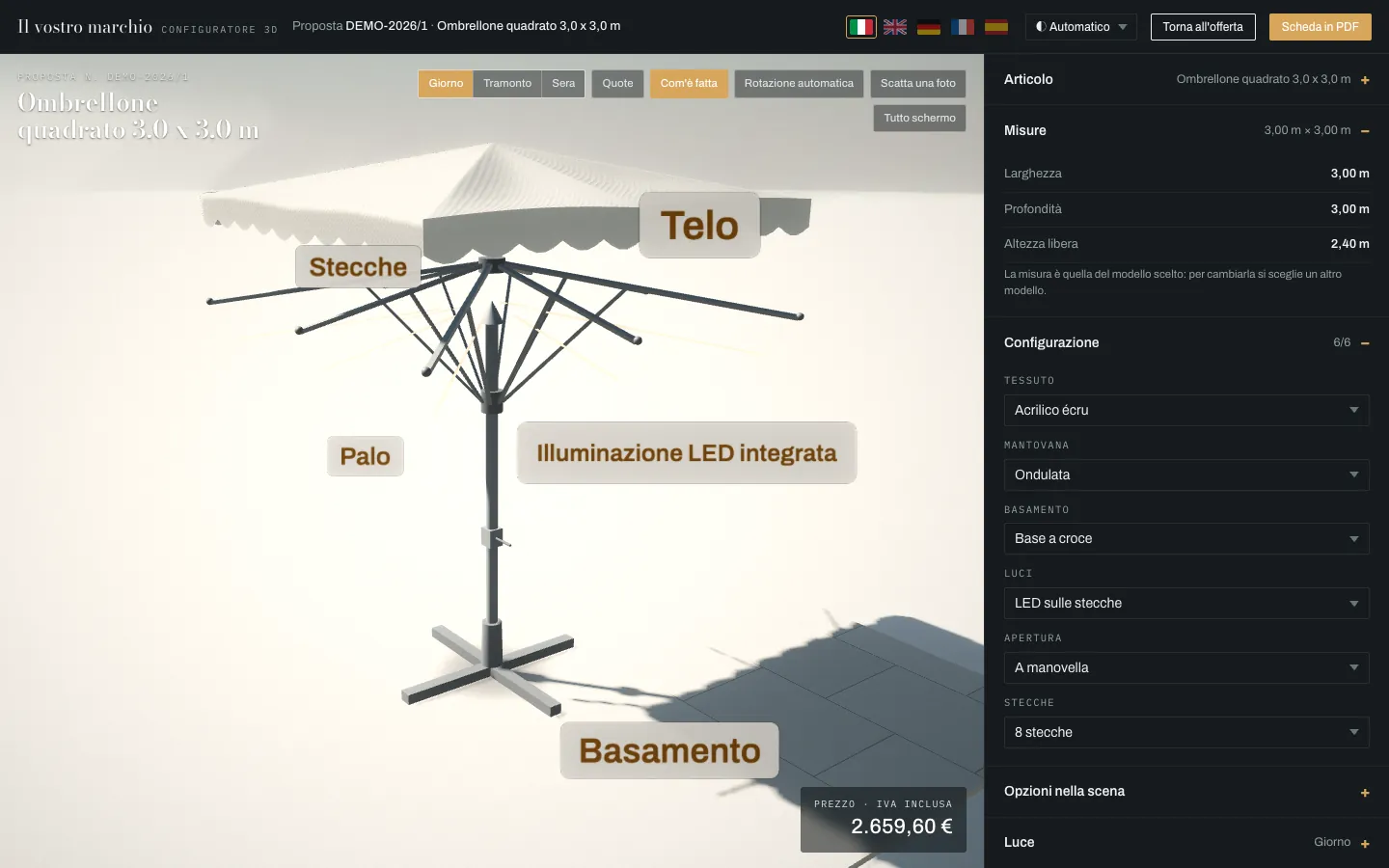
  • Dimensions and “How it is made”The sizes drawn on the model and the parts of the product, each with its name.
  • Presentation, photo and videoAn automatic tour around the product, to record as a video; a photo of the scene; full screen.
  • Variants and requestThe salesperson prepares the variants, the customer looks at them and asks for a quote for the configuration they prefer, with a note. It is shared with a QR code, and the data sheet prints as a PDF.
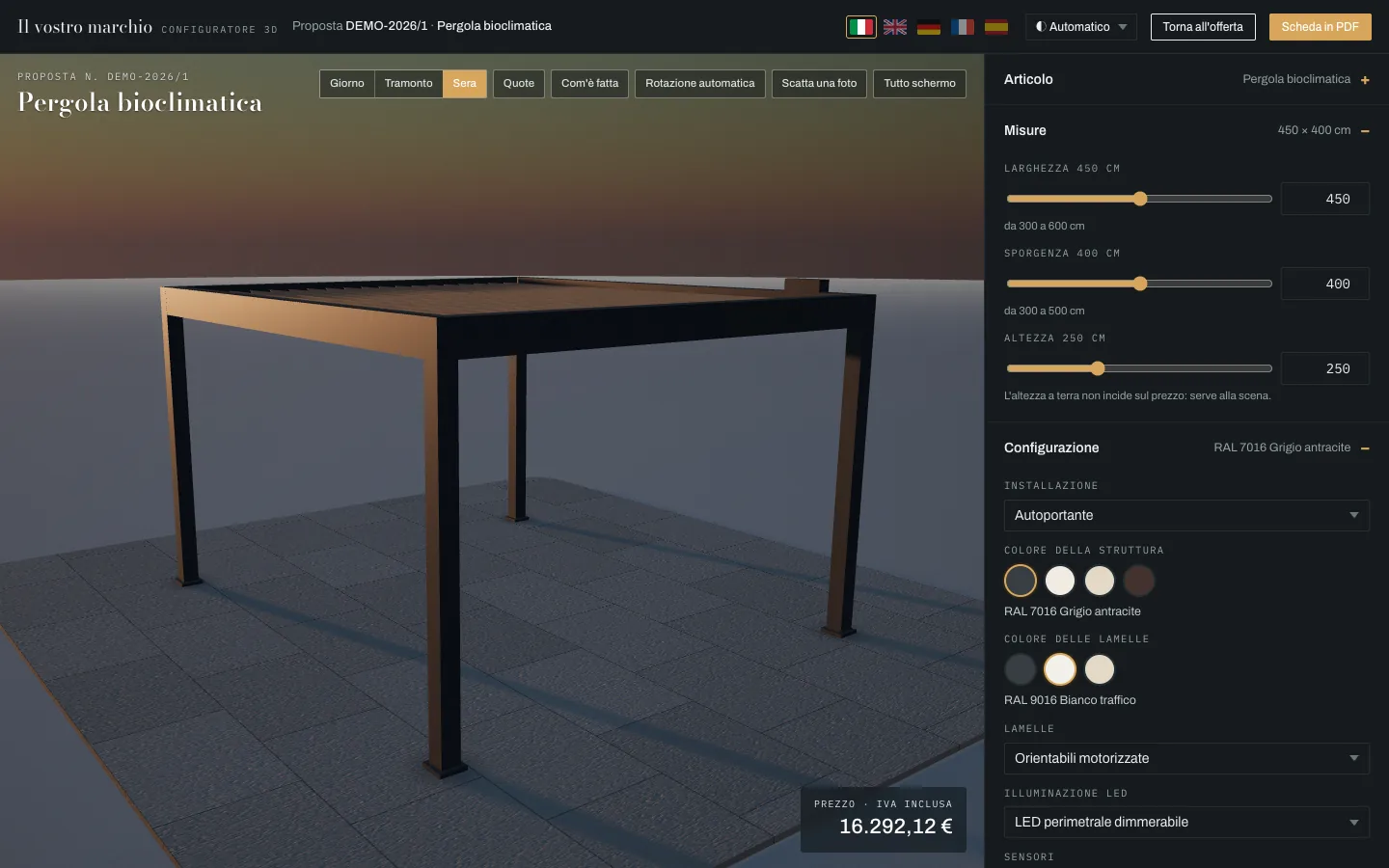
The pergola configurator in the evening, in Italian, with the perimeter LED on, the menu of sizes and colours and the price including VAT.
Content
3D configurator, evening light
Source
Semplice, demo with sample data
Screen
computer
The same configurator on a phone: the pergola in 3D, the price and, below, the sizes.
Screen
phone

The 3D model is built from the sizes and the choices, not from a fixed file: pergolas, awnings and parasols, square or round.

AI proposes, the price list decides

The AI features of Semplice work on your products and your rules. Three principles apply to all of them.

The price comes from the price list
The AI does not calculate prices and does not write on its own into quotes, offers and orders: it proposes, and the system calculates.
Every proposal is checked again
Before it reaches the people at work, every proposal passes a check on the data: products, sizes and constraints.
Without AI, everything works
If the AI does not respond, Semplice works as before, with no errors on screen.

The AI features

They work inside the pages you already use: the offer, the configurator, the product sheet, ESPLORA.

  • Offer draftTitle, presentation and suggested optional extras, ready when the salesperson opens the offer.
  • Configurator copilotYou write in your own words, for example “white roller blind 120 × 200 with motor”, and the proposal arrives: product, options, checked sizes and price from the price list. Also in the dealer portal.
  • Product sales sheetFor each product: who it is for, strengths, when not to propose it, alternatives and accessories. It is the base the assistant uses to advise.
  • ESPLORA tutorsSix assistants on the company’s information: price lists, sales, technical, after-sales, training and marketing.
  • AI translationsCatalogue texts that still have no translation are translated by the AI once, and the translation is saved. Codes, RAL colours and brand names stay as they are.
  • Costs and conversations under controlA panel shows requests, costs, conversations and errors; each feature can be switched off and has a monthly cap.

In the reader’s language

Italian, English, German, French and Spanish: for the end customer and for the people who work with you.

  • Offer and configuratorThe customer picks the language with the flags: the whole page switches to that language, catalogue choices included.
  • Management software and dealer portalEach user and each dealer works in their own language, from the screens to the PDFs and emails.
  • Guide and tutorialsThe guide opens with F1 from every page, in five languages; the video tutorials show the real screens, in Italian and in English.

Frequently asked questions

What is an online 3D offer?

A sales offer that the customer opens as a web page instead of an attachment: the product in a 3D scene, the items with dimensioned drawings, the price, the terms and the acceptance.

Does the customer have to install anything?

No: the offer opens from a link, in the browser, also on a phone.

Does the AI generate the 3D or set the prices?

No. The 3D is built from the sizes and the choices, and the price comes from your price list. The AI drafts the texts, suggests optional extras and translates.

Is the configurator price the real one?

Yes, in the management software: it comes from the pricing engine and the configuration rules. In the demo on this site the price list is a sample.

In which languages can it be sent?

Italian, English, German, French and Spanish: the customer chooses with the flags.

Do we know whether the customer opened it?

Yes: the Radar tells you whether it has been opened, how far it has been read, what was tried in 3D and which optional extras were ticked.

Your offer, with your products

The trial is done on your catalogue: your products, your colours, your price list.

Ask for a trial